· ming · Guides · 13 min read
How to Find Best-Selling Items on Etsy with EverBee
How to use EverBee Product Analytics to search an Etsy niche, sort and filter by estimated sales, then check listing age, reviews, the competitor shop and tags. Sales and revenue figures are estimates.
Affiliate disclosure: This guide contains an affiliate link to EverBee. If you sign up for a paid plan through it, SellerImageAI may earn a commission at no extra cost to you. It doesn’t change the steps below.
Etsy does not publish how many units another seller’s listing has sold. EverBee’s Product Analytics is built to estimate that, so you can compare listings in a niche before you make a product. This guide walks through the public workflow: search a niche, sort and filter by estimated sales, check listing age and reviews, open a competitor in Shop Analyzer, then validate the tags and keywords.
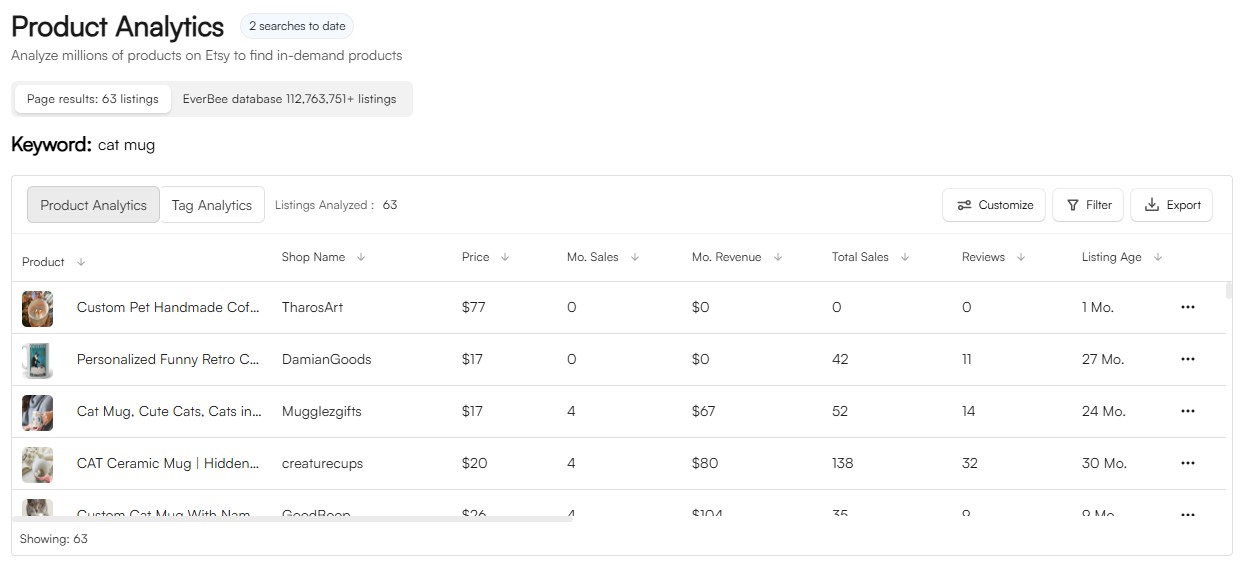
It is based on EverBee’s Help Center articles Find the Top Selling Products for Your Niche, Product Analytics, How to Apply Advanced Filters, How does EverBee work?, Welcome to EverBee, Keyword Research, How to optimize your tags and Can EverBee analyze all the listings of a keyword or store?, plus the live pricing page and annual-offer page, all checked on October 23, 2026. We did not run Product Analytics on a live shop for this article. The header image is EverBee’s own Product Analytics screenshot for the keyword “cat mug.” Menus change, so follow what your account shows.
Quick answer
- Where to start: EverBee’s top-selling products guide starts with a niche phrase, then Product Analytics, then filters for listing age, revenue and sales.
- What “best selling” means here: estimated total sales, monthly sales (total sales ÷ listing age) and monthly revenue (price × monthly sales). EverBee calls these approximations.
- Free vs paid: the pricing page limits free Hobby Product Analytics to views, reviews and favorites. Sales, revenue and conversion rate are on Growth and Business.
- After the table: open a repeating shop in Shop Analyzer, then check tags and keyword volume before you copy any language.
- Caveat: EverBee’s accuracy article says the figures are “a guide, not exact results.” They are not a forecast of what your shop will sell.
What Product Analytics shows
EverBee’s Welcome article describes Product Analytics as the place to track sales and revenue and find products that are in demand. The Product Analytics article defines the columns:
| Column | What EverBee says it means |
|---|---|
| Product | Image and name as listed on Etsy |
| Shop name | Store offering the product |
| Price | Estimated price of the listing |
| Monthly sales | Approximate units per month, calculated as total sales ÷ listing age |
| Monthly revenue | Approximate revenue per month, including variants, calculated as price × monthly sales |
| Total sales | Estimated units sold since the listing was created |
| Reviews | Total customer reviews for the listing |
| Listing age | Months since the listing was published |
| Visibility score | Compares a listing’s daily views with other listings |
| Conversion rate | Total sales ÷ total views |
The same article has a Tag Analytics tab for the keywords used on those listings: keyword, volume (average monthly Etsy searches), competition (listings competing for the keyword) and Keyword Score. EverBee describes Keyword Score there as the ratio of search volume to competition: a high score is high demand and low competition.
The header image is that table for “cat mug,” with price, monthly sales, monthly revenue, total sales, reviews and listing age. Those rows are EverBee’s screenshot, not a result from this article.
Which plan you need
Plan details below are from everbee.io/pricing and everbee.io/annualoffer on October 23, 2026. The pricing page does not list a free trial of Growth or Business. Hobby is free, and the page says no credit card is required.
| Plan | Billing (as of Oct 23, 2026) | What you can use for this workflow |
|---|---|---|
| Hobby | ”Free forever” | Product Analytics limited to views, reviews and favorites. Keyword research for 10 keywords. Basic filters. Favorites: 5 keywords, 5 shops, 1 custom folder |
| Growth | Annual or monthly billing | Sales, revenue and conversion rate. Trends from last month to all time on individual listings. Unlimited keywords with Keyword Score. 3 Hot Filters. Tag Analyzer. Favorites: 1,000 keywords, 100 shops, 10 folders |
| Business | Billed annually | Sales, revenue and conversion rate. Trend patterns over 3, 6, 12, 24 months and beyond on listings and research tables. 3 Hot Filters plus unlimited custom filters. Tag Analyzer. Unlimited favorites |
Sorting a niche by estimated sales is a Growth or Business step. On Hobby you can still see which listings have views, reviews and favorites, and you can spend the 10 keyword searches, but the sales and revenue columns are not on Hobby’s list. Our Hobby vs Growth guide is the short version of those limits. The EverBee review covers the rest of the product.
Try EverBee’s free Hobby plan →
Step 1: Search a niche
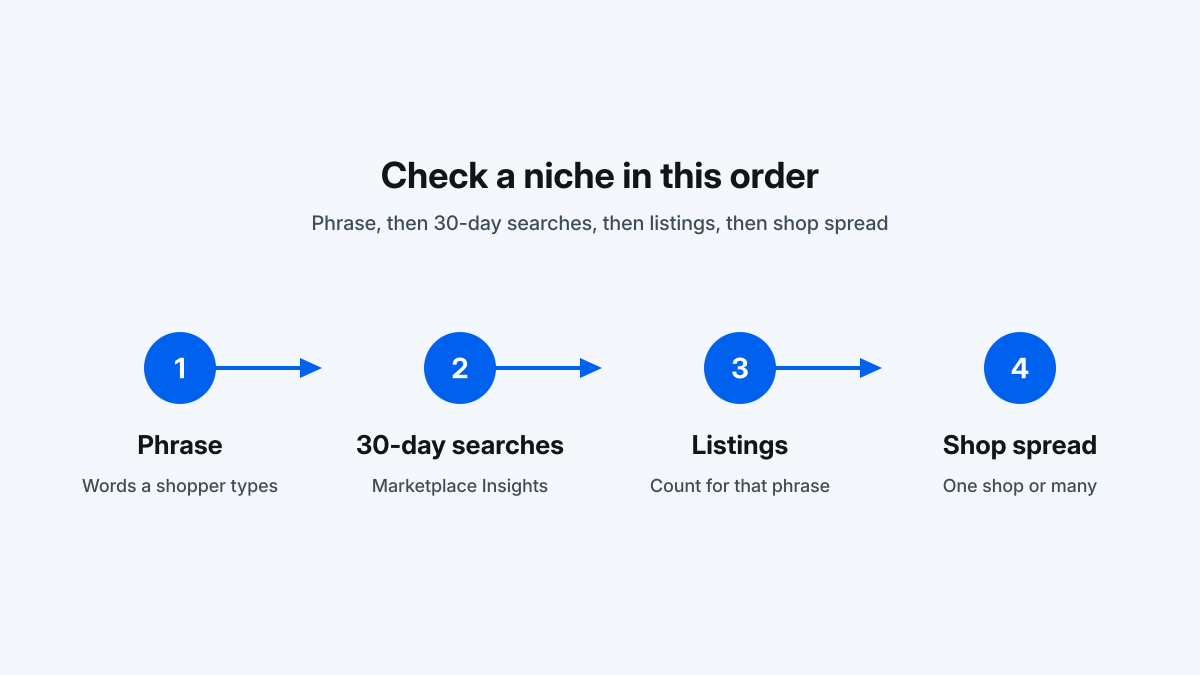
EverBee’s top-selling guide starts with a specific niche, and its example phrase is “dog collar,” not a broad word like “gifts.” Pick language a shopper would type.
Two ways to open the table, from EverBee’s help articles:
- Dashboard. Sidebar → Product Analytics, then search. EverBee says the first results can come from searching on Etsy and clicking the Product Analytics button on the dashboard or sidebar.
- EverBee Database. In the analytics table, select EverBee Database to analyze listings associated with that keyword, beyond the page you were looking at.
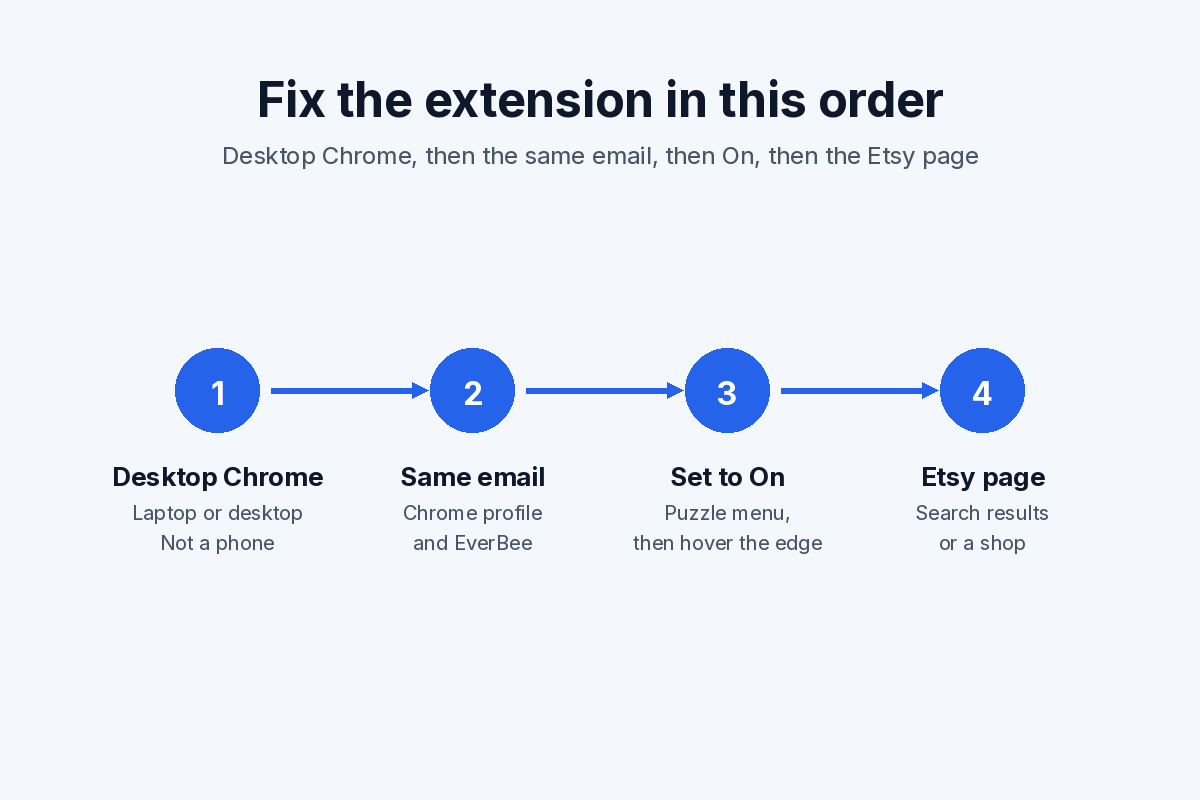
The Chrome extension is the other route. EverBee’s Help Center says the extension analyzes the listings on the Etsy page you are viewing. Etsy usually shows 64 listings per page, so you repeat the step on the next page if you stay inside the extension. For a whole shop, the dashboard is the path that EverBee says displays all of that shop’s listings. Welcome to EverBee lists installing the Chrome extension as a setup step. EverBee’s annual-offer page says the extension and the web app are the same subscription, so Growth features on Etsy pages follow the plan on the account.
For what Etsy shows on a shop page before you open a research tool, see how to see other sellers’ Etsy sales.
Step 2: Sort and filter by estimated sales
On a plan that includes sales and revenue, sort the table by monthly sales, total sales or monthly revenue. Read the formulas before you trust the order:
- Monthly sales is total estimated sales divided by listing age. It is an average across the life of the listing, not a count of units sold in the last 30 days.
- Monthly revenue multiplies that average by EverBee’s estimated price. A price error or a sales error moves the revenue figure with it.
EverBee’s filters article says you open Filter at the top of the analytics table and can set a minimum, a maximum, or more than one filter at once. The fields it lists are price, monthly sales, monthly revenue, total sales, reviews, listing age, shop age, favorites, visibility score and conversion rate. Hobby’s card says “basic filters”; Growth says “3 Hot Filters”; Business adds unlimited custom filters. The help article does not map each field to a plan, so confirm which filters your account actually offers.
A practical cut, using only those published fields:
- Set a minimum monthly sales or total sales so zero-sales rows drop out.
- Set a price band you can actually produce and ship. EverBee’s top-selling guide says the tool shows an average price for the analysis, and that you should still compare it with your costs.
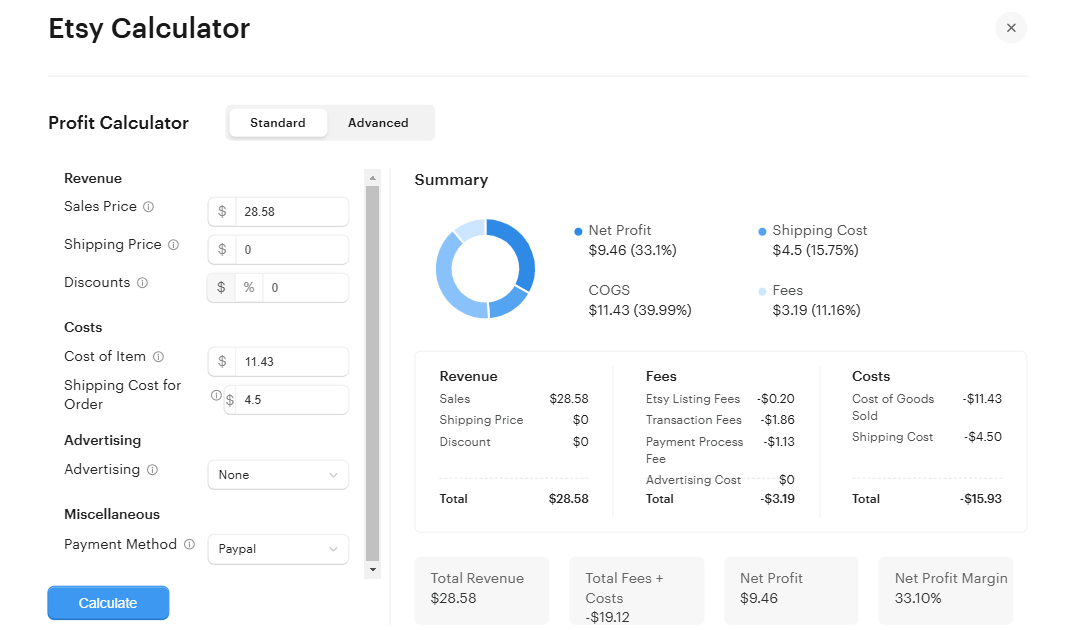
- Leave a listing in the shortlist only if the sales estimate and the price still look workable together. The free Etsy Fee Calculator is the place to check Etsy’s fees against your costs. A high estimated revenue at a price you cannot match is not a plan.
EverBee says you can export the filtered table to CSV. The filters article says that export covers the current Etsy page only.
Step 3: Check listing age and reviews
A high total-sales number on an old listing can be history. Because monthly sales is total sales ÷ listing age, a listing that sold heavily years ago and little since can still show a modest monthly average.
EverBee’s filters article suggests this combination for newer listings: identify the niche, sort by total sales, then set a minimum and maximum listing age in months. Its own example is listings under two months old that were averaging about 15 sales a month in that screenshot. Treat that 15 as EverBee’s published example, not a number you should expect in your niche.
Then read reviews next to age:
- Reviews are a count of customer reviews, which EverBee includes in the Product Analytics columns and which Hobby’s plan list names explicitly. They are not the sales total.
- A young listing can show estimated sales before it has many reviews.
- A listing with a large review count and a long age tells you people have bought it over time. It does not, by itself, tell you the item is still selling this month.
Conversion rate (total sales ÷ total views) is the other check EverBee suggests for listings that have been up for a while. The pricing page places conversion rate on Growth and Business. It is not the same figure as Etsy Shop Stats, which is your own orders ÷ visits. EverBee vs Etsy Shop Stats separates the two.
On Growth, the pricing page includes trends from last month to all time on individual listings. Business adds patterns over 3, 6, 12 and 24 months on the research tables. That is the closest public control for “is this still moving,” and it is still EverBee’s estimate.
Step 4: Open the shop in Shop Analyzer
EverBee’s top-selling guide says to favorite listings that look like candidates, and if the same shop is a direct competitor, to open Shop Analyzer for a better view of that shop’s listings. Welcome to EverBee says Shop Analyzer is where you analyze a competitor’s listings and see tags and sales data.
From the dashboard, EverBee’s help article says: click Shop Analyzer, search the shop, and the account then shows that shop’s listings. The extension path is page by page. The Shop Analyzer guide covers the shop-level columns in EverBee’s screenshot (total sales, total revenue, monthly sales, monthly revenue, shop age and review score) and the paid-plan limits.
Use the shop view to see whether one listing carries the estimate or the whole catalog does. A shop with one strong listing is a different signal from a shop where many related listings show sales. Favorite the shop if you want to return to it. Hobby saves 5 shops; Growth saves 100; Business is unlimited, per the pricing page on October 23, 2026.
Step 5: Validate tags and keywords
EverBee’s tag guide says that once you have a competitor, you use Shop Analyzer and then Tag Analyzer to see the tags on that shop’s listings. Tag Analyzer is on the Growth and Business cards, not on Hobby. It is a list of how someone else described a product. EverBee’s same article says to use those phrases as inspiration and not to copy them exactly.
Check each candidate in Keyword Research before it goes into a title or a tag:
- Search volume is how often the phrase was searched on Etsy. EverBee’s keyword article says it uses the last 30 days.
- Competition is the number of competing listings.
- Keyword Score is on Growth and Business. The Product Analytics article describes a high score as high demand with low competition.
Hobby includes 10 keyword searches and does not list Keyword Score. Our keyword research workflow goes further on those fields, including how Keyword Score is calculated. The Tag Analyzer guide covers when to run it.
EverBee’s top-selling guide also says to look at design, materials, customization and packaging, and to think about production time and what shoppers pay. The sales table does not do that part. A listing can rank high on estimated sales and still be a poor match if you cannot make it at a price that leaves a margin after Etsy fees.
Why the sales numbers are estimates
EverBee’s How does EverBee work? article says Etsy does not share sales and revenue history with third parties. EverBee says it estimates from data Etsy does provide, including views, favorites, listing dates and prices.
The same article gives the failure mode: a listing with many views and favorites but weak conversion can be scored too high, and a listing that converts better than its peers can be scored too low. EverBee’s words are that the product is “a guide, not exact results.”
Three consequences for this workflow:
- Sort order is a shortlist, not a ranking of proven winners. Two listings can swap places if the estimate is off.
- Monthly sales is a lifetime average. Pair it with listing age, and with trends if your plan includes them, before you call something a current best seller.
- Nothing here is a forecast of your revenue. Photos, price, shipping and the product still decide whether someone buys. After you list, your own orders are in Etsy Shop Stats, not in a competitor estimate.
Skip any claim that a tool will multiply your sales. EverBee can shorten the comparison. It cannot promise orders.
FAQ
Does EverBee show exact sales for other Etsy listings?
No. EverBee says Etsy does not share other sellers’ sales history, and that its sales and revenue figures are estimates from views, favorites, listing dates and prices. Its help article calls the result a guide, not exact results.
Which EverBee plan shows estimated sales and revenue?
As of Oct 23, 2026, the pricing page lists sales, revenue and conversion rate on Growth and Business. Hobby’s Product Analytics is views, reviews and favorites. See that page for current pricing.
How does EverBee calculate monthly sales?
EverBee’s Product Analytics article says monthly sales are total estimated sales divided by listing age, in months. Monthly revenue is that figure multiplied by the estimated price. It is an average over the life of the listing, not a count of units sold in the last 30 days.
Can I find best sellers on the free Hobby plan?
You can search and see views, reviews and favorites, with basic filters and 10 keyword searches. The sales, revenue and conversion-rate columns that this workflow sorts on are listed on the paid plans. Hobby is free and the pricing page says no credit card is required. The pricing page does not list a trial of Growth or Business.
Should I copy the tags from a best-selling listing?
No. EverBee’s tag guide says to use a competitor’s tags as inspiration, then research them. Tag Analyzer, on Growth and Business, lists those tags. Keyword Research then shows search volume and competition so you can drop phrases that are too broad or too crowded for your listing.
Final verdict
Search a specific niche in Product Analytics, sort by estimated sales or revenue on a paid plan, then keep only listings whose age and reviews still make sense. Move a repeating competitor into Shop Analyzer, and run the tags through Keyword Research before you write your own. Treat every sales figure as EverBee’s estimate. If the price only works before Etsy fees, the fee calculator will show that before you commit to the product.
Last updated: October 23, 2026. Column definitions from EverBee’s Product Analytics help article. Plan limits from everbee.io/pricing and everbee.io/annualoffer, checked on that date. Estimate caveats from EverBee’s “How does EverBee work?” article.