· ming · Guides · 10 min read
EverBee Chrome Extension Not Working: Fixes
EverBee Chrome extension not working on Etsy? Match the empty screen to EverBee's official cause: desktop Chrome, the same sign-in email, the page you are on, a Hobby limit, or a reload.
Affiliate disclosure: This guide contains an affiliate link to EverBee. If you sign up through it, SellerImageAI may earn a commission at no extra cost to you. It doesn’t change the fixes below.
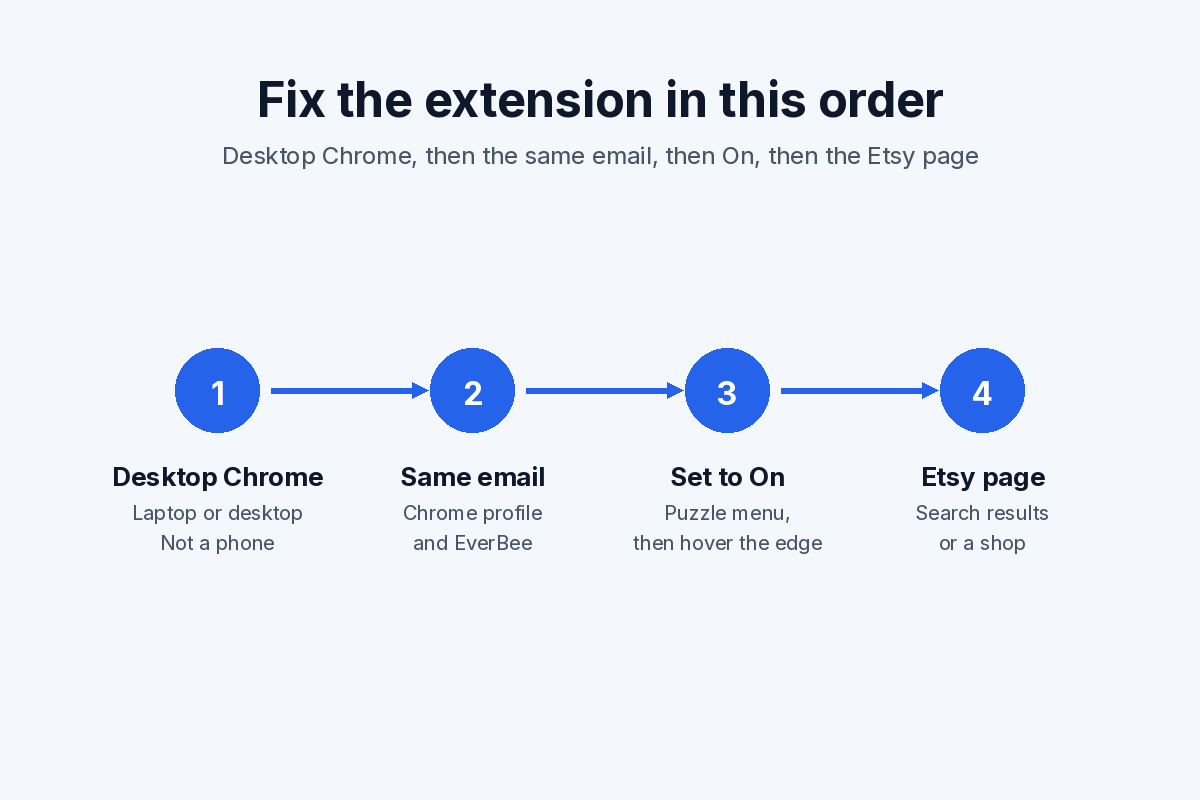
The EverBee Chrome extension not working on Etsy usually matches a check EverBee has already published: desktop Chrome, the same email on the Chrome profile and the EverBee account, the extension set to On, an Etsy search or shop page, or a Hobby limit that hides sales figures and the Tag Analyzer tool. A spinning table and two sign-in errors have their own fixes on EverBee’s no-rows article and its extension-uninstall page.
The steps below come from EverBee’s Help Center, pricing page, Chrome Web Store listing, and extension-uninstall page, checked on October 26, 2026. We did not run the extension for this article. Follow the labels in your account if a menu has moved. The Chrome Web Store listing showed version 9.1.19.2, updated October 21, 2026.
EverBee Chrome extension not working: match the symptom
Use the row that matches the screen. Each fix is the one EverBee publishes for that symptom.
| Symptom | Official cause | What to do | Source |
|---|---|---|---|
| No sidebar on the Etsy page | The extension is missing, not set to On, the Chrome profile email differs from the EverBee account, or the bar is waiting for a hover | Install it, set it to On, sign in with the same email, then hover the page edge | Not showing up |
| Phone or tablet | The extension is for laptops and desktops. The website works in a mobile browser | Open Etsy in desktop Chrome. Use everbee.io on a phone | Tablet and mobile |
| Table spins, or no rows | Chrome may be out of date, the extension needs a reinstall, the shop needs a reconnect, or the browser has stayed open for days | Update Chrome, reinstall, reconnect the shop, close the browser, then refresh the Etsy page | No rows, uninstall page |
| Could not authorize credentials | EverBee’s uninstall page treats this as a password problem | Reset the password. EverBee says that returns you to Etsy to log in again | Uninstall page |
| Email Not Found | That sign-in has no EverBee account. A paid plan has to use the invoice email | Create an account, or register with the Growth or Business invoice email | Uninstall page |
| Tags never appear | Tags are not a Product Analytics column. They open from the bee logo, listing details, or Tag Analyzer. The extension reads the Etsy page in front of you | Open those screens on a search or shop page, then check whether Tag Analyzer is on the plan | Product Analytics, Tags, Page scope |
| Sales, revenue, or conversion rate missing | Hobby lists views, reviews, and favorites. Sales, revenue, and conversion rate are on Growth and Business | Read the plan name in the account before you reinstall | Pricing |
| You paid, and the account still says Hobby | The email on the payment did not match the EverBee account, including letter case | Write hello@everbee.io with both email addresses | Upgrade did not apply |
| Blank in an incognito window | Incognito does not load the extension until you allow it | Extensions, EverBee, Details, then allow incognito | Troubleshooting collection |
| Upgrade checkout fails in Brave or Firefox | EverBee says its payment processor is sometimes incompatible with those browsers | Use Chrome for the upgrade, or the backup upgrade link in the help article | Troubleshooting collection, How to upgrade |
EverBee not working on Etsy: desktop Chrome and sign-in
The tablet and mobile article limits the extension to laptops and desktops. The dashboard at everbee.io still opens in a phone or iPad browser. A missing overlay on a phone is that limit.
The no-rows article says to use an updated Chrome. The troubleshooting collection adds a checkout note: the payment processor is sometimes incompatible with Brave or Firefox.
Sign-in is two emails, and they are not the same rule.
- The missing-sidebar article says you must be logged into Chrome with the same email address as the EverBee account, and also logged into EverBee. It tells you to check the footer on the left of the screen.
- The shop connection article says the shop login is the Etsy shop email and password, and that this can differ from the EverBee account. It also says to type that email in lowercase.
A Chrome profile on a personal Gmail and an EverBee account on a shop inbox fails the first rule even when the shop connection succeeded. After you connect, refresh the browser. The shop name should show at the top left of the sidebar.
A working install has the sidebar on the Etsy page, the EverBee logo in Chrome’s extension menu, and the extension set to On. The sidebar appears when you hover that edge. A click on the logo switches it off without uninstalling; click it back to On and reload the Etsy tab. Incognito needs Extensions, EverBee, Details, then allow incognito. The troubleshooting collection states both, and the Spanish articles turn EverBee off and incognito mode list the clicks.
Which Etsy pages the extension covers
EverBee’s page-scope article says the extension analyzes the products on the keyword or shop page you are viewing. EverBee says Etsy usually shows 64 listings per page, so that pass covers those 64, and you repeat it on the next page. A smaller shop produces a shorter set.
The Product Analytics article says results appear after you search on the Etsy page and click Product Analytics, on the dashboard or in the sidebar.
Those articles describe a search page, a shop page, and the bee logo on a listing. They do not describe an overlay on Etsy messages, the cart, or the seller app. Open a search results page or a shop’s listings before you treat the extension as broken.
Column meanings stay in the EverBee Chrome extension guide. Tags are not a Product Analytics heading.
EverBee not showing tags
EverBee not showing tags is often a different screen, not a failed install. The tag article gives three places to open them:
- Click the bee logo on a listing.
- Open listing details in the analytics table and scroll.
- Use Tag Analytics for your own shop under My Shop, or for a competitor’s listings. With a shop already picked, the same article says Shop Analyzer first, then Tag Analyzer.
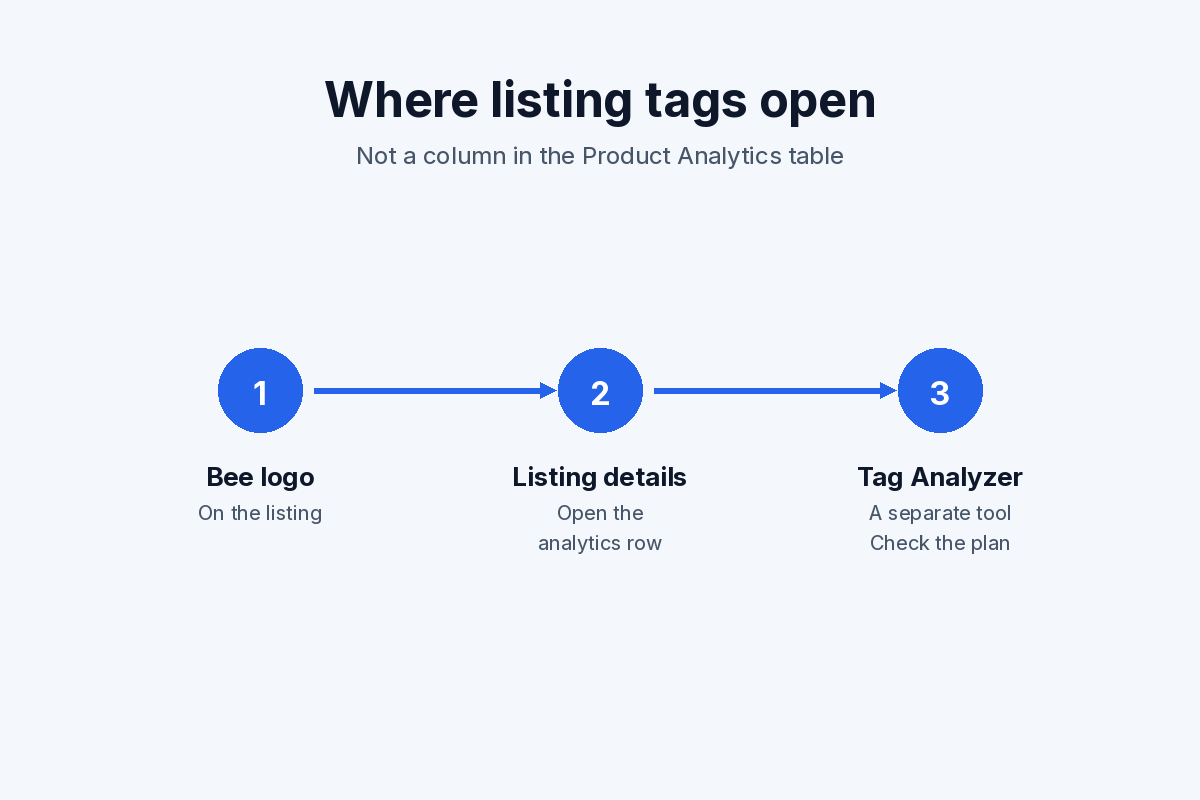
Where EverBee’s tag article says listing tags open. Tag Analyzer is a separate tool from the Product Analytics columns.
The Chrome Web Store listing says users can access listing tags. A missing tag panel still has to be on a page the extension analyzes, with the sidebar open.
Plan wording on EverBee’s site does not agree about Tag Analyzer. Checked on October 26, 2026, the pricing page lists Tag Analyzer on the Growth and Business cards. The Hobby card does not. Hobby there is Product Analytics for views, reviews, and favorites, 10 keyword searches, basic filters, and favorites for 5 keywords, 5 shops, and 1 custom folder. The keyword-research FAQ says Hobby covers product analytics, 10 keyword searches, and the Tag Analyzer. If the tool is missing, read the plan name in the account. How to use Tag Analyzer, once it is available, is in the EverBee Tag Analyzer guide.
The Product Analytics article defines Keyword Score inside Tag Analytics. The pricing cards list it on Growth and Business, not on Hobby.
When a Hobby limit looks like a broken extension
A table full of views, with no sales, revenue, or conversion rate, matches the Hobby card on the pricing page. Reinstalling does not add those columns.
As of October 26, 2026, that pricing page lists the free Hobby plan plus Growth and Business, with annual and monthly billing. Check current price on that page.
If you already paid and the account still says Hobby, EverBee’s upgrade article says the payment email must match the EverBee account exactly, including capitalization. EverBee says you cannot correct a mismatched address from the account. Write hello@everbee.io. The same article also lists a bank decline and a missing receipt.
The plan-by-plan difference, without the troubleshooting steps on this page, is in EverBee Hobby vs Growth.
Compare EverBee’s current plans →
Reload, reinstall, and reconnect
For a spinning table or an empty result set, EverBee’s no-rows article gives three steps, then a separate browser note:
- Update Chrome at
chrome://settings/help. - Reinstall EverBee.
- Reconnect the Etsy shop. The click path is in the shop connection article: sign in, click Connect your shop at the top of the dashboard sidebar, then enter the shop email and password, in lowercase.
- If that same browser has stayed open for days, close it completely. EverBee says a long-open browser can affect analytics searches.
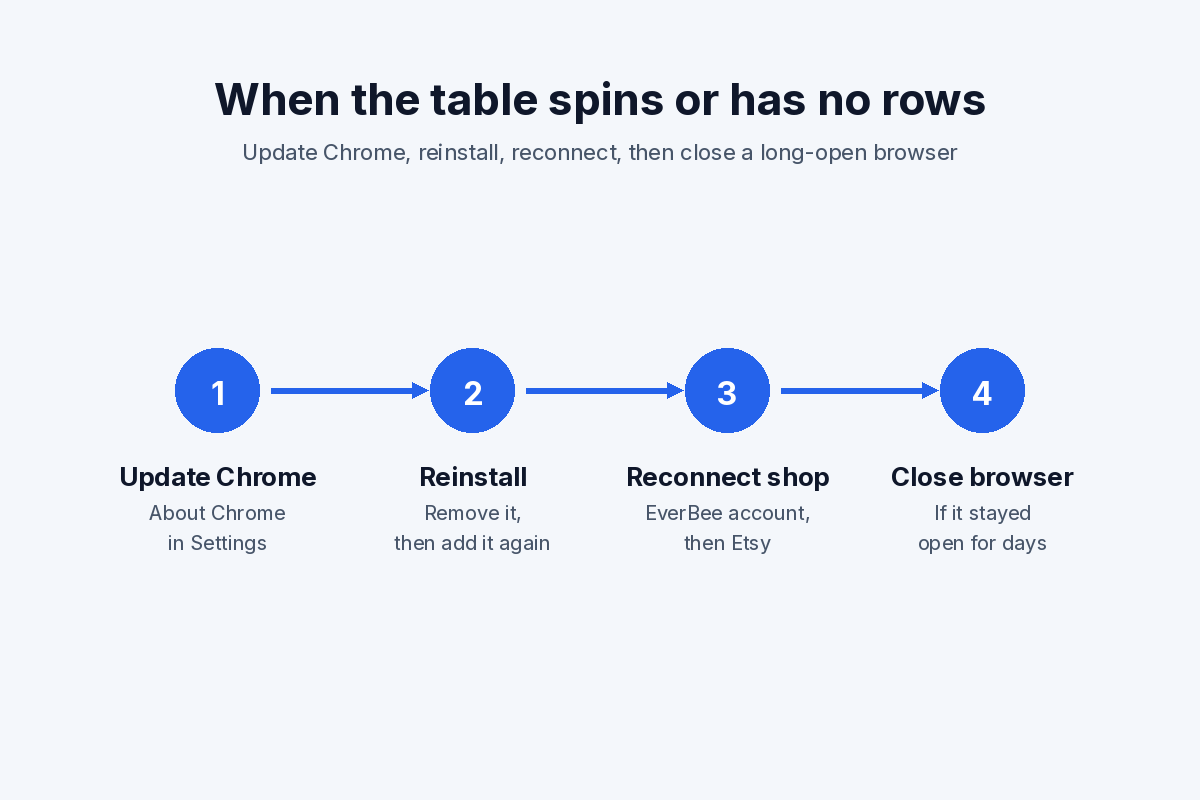
The no-rows article’s three steps, plus its note to close a browser that has stayed open for days.
The extension-uninstall page says to remove EverBee, install it again from the Chrome Web Store, confirm the shop is connected, refresh Etsy, and open analytics again.
Two errors on that same page are not fixed by another reinstall:
- Could not authorize credentials. Use Forgot Password. EverBee says the flow returns you to Etsy. Log in there, then use the extension.
- Email Not Found. Create an account. On Growth or Business, use the email that receives the EverBee invoices.
Removing the extension does not cancel a paid plan. Billing sits in the EverBee account. The cancel path is in how to cancel your EverBee subscription.
If it is still broken
The no-rows, missing-sidebar, and failed-upgrade articles all end at hello@everbee.io. Include the account email, the Etsy URL, and whether the account shows Hobby, Growth, or Business. The install link named in the missing-sidebar article is the Chrome Web Store listing.
FAQ
Does the EverBee Chrome extension work on a phone?
No. EverBee says the extension works only on laptops and desktops. The everbee.io dashboard can open in a phone or tablet browser after you register.
Why does the table spin or show no rows?
EverBee’s no-rows article says to update Chrome, reinstall, reconnect the shop, and close a browser left open for days. The uninstall page adds a refresh of the Etsy page after the shop is connected.
Why is EverBee not showing tags?
Product Analytics has no tags column. Open the bee logo, listing details, or Tag Analytics on the Etsy page you are viewing. Pricing cards put Tag Analyzer on Growth and Business, while a keyword-research FAQ says Hobby includes it. Check the plan name in the account.
Does Chrome have to use the same email as the Etsy shop?
The Chrome profile email has to match the EverBee account. The shop-connection article says the Etsy shop email can be different, and asks you to type it in lowercase. A paid upgrade has a third check: the email on the receipt has to match the EverBee account, including capitalization.
Does removing the extension cancel a paid plan?
No. Removing it takes the overlay off Etsy. The subscription stays in the EverBee account until you cancel it there.
After the checks
For an EverBee Chrome extension not working, use the symptom row before a second reinstall. An EverBee extension not working on a phone, in an incognito window, or on the wrong Etsy page is already in that table. Write hello@everbee.io with the Etsy URL and the account email if those steps leave the screen unchanged.
Try EverBee’s free Hobby plan →
Last updated: October 26, 2026. Sources: EverBee Help Center articles on mobile, the missing sidebar, page scope, tags, and no rows; everbee.io/pricing; everbee.io/extension-uninstall; Chrome Web Store listing version 9.1.19.2, updated October 21, 2026.