· ming · Guides · 11 min read
Etsy Listing Photo Size 2026: Pixels and Crops
Etsy listing photo size in 2026: at least 2000 px on both sides, a 635 px floor on the first photo, and a centered product so thumbnail crops still show it.
For Etsy listing photos in 2026, export files that are at least 2000 pixels wide and 2000 pixels tall. Etsy’s image requirements say listing photos should have a width and height of at least 2000 pixels, and the first photo should be at least 635 pixels on both sides to avoid showing up lower in searches. Make that first photo landscape or square, use JPG, PNG, GIF, SVG, or HEIC, and keep the file small enough to upload. Shop banner, logo, and profile sizes are a different spec, so this page stays on listing photos.
We compiled this from Etsy Help pages checked on October 28, 2026; we did not upload test listings for this article. Figures below are as of October 28, 2026.
Etsy listing photo size 2026: the numbers that disagree
Etsy publishes more than one listing-photo number, and they do not all say the same thing. The line to follow for a new file is the current image requirements page: width and height of at least 2000 pixels. The other rows are still on Etsy, so it helps to see which page each one comes from.
| Figure | What Etsy wrote | How to read it | Page |
|---|---|---|---|
| Both sides | Width and height of at least 2000 pixels | Current recommendation for listing photos | Image requirements |
| Width only | At least 2000 pixels wide | Upload troubleshooting. The warning “Listings look best with photos at least 2000 pixels wide” is only a suggestion; you can still publish | How to Create a Listing |
| Shortest side and 72 PPI | 2000 px for the shortest side, and 72 PPI | Older wording. The Handbook article is dated January 28, 2020. The current Help page does not state a PPI requirement | Seller Handbook |
| Search floor | First photo at least 635 pixels in width and height | Below this, the listing may show up lower in searches. This is not the recommended size | Image requirements |
| Larger file, requirements page | Larger than 1MB | May not finish uploading, especially on a slower connection | Image requirements |
| Larger file, create-listing page | Bigger than 300k | May time out, especially on a slower connection | How to Create a Listing |
A 2000 × 1500 file is 2000 pixels wide, so it can match the editor warning, and it still misses the recommendation that both sides be at least 2000. Read “2000 pixels wide” as the softer line. Export at least 2000 on the height as well.
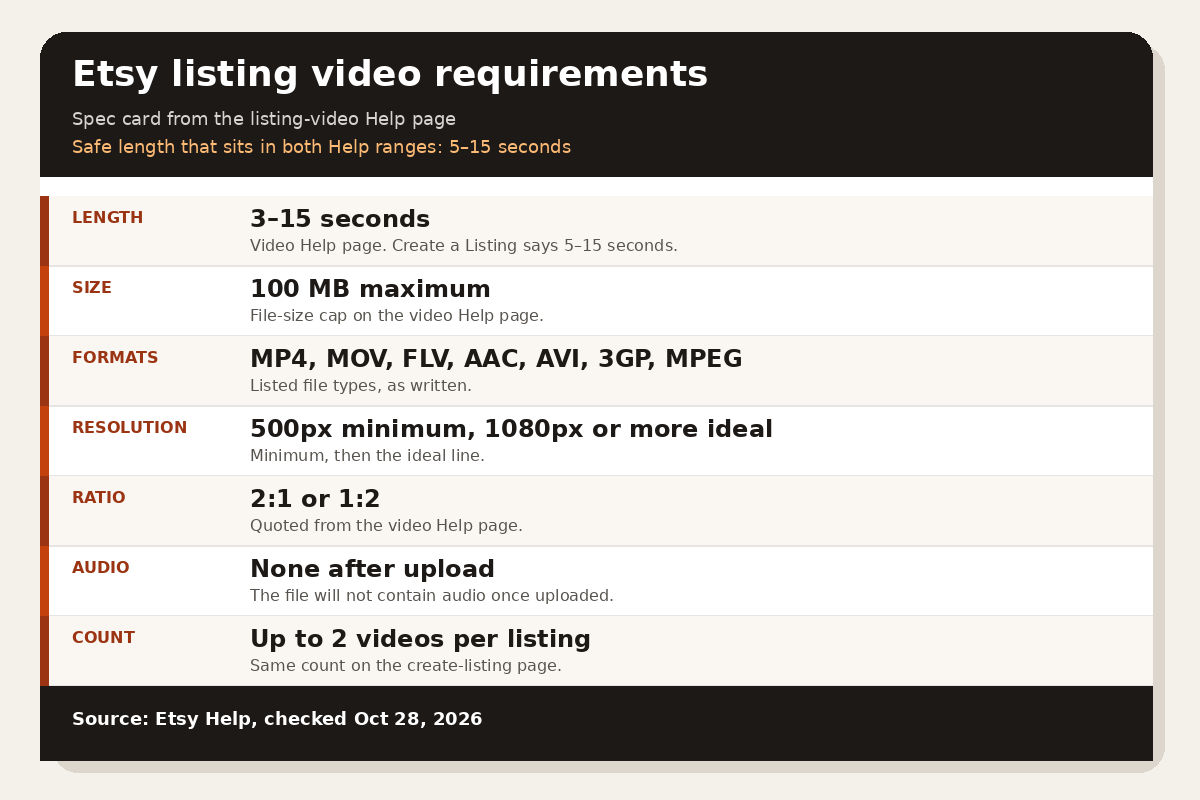
The Handbook article still says a listing holds 10 photos, and it lists only JPG, GIF, and PNG. How to Create a Listing is the current page: up to 20 photos and 2 videos that are 5–15 seconds long. Do not make a special 72 PPI file. The current Help page counts pixels, not PPI.
The two file-size lines are warnings, not a published maximum. The requirements page flags files over 1MB. The create-a-listing troubleshooting flags files bigger than 300k. If an upload stalls, compress and try again.
File types, file size, and color
The only types on the image requirements page are .jpg, .gif, .png, .svg, and .heic. Animated GIFs are not supported. Transparent PNGs are not supported either: transparent parts appear black. Fill a cut-out with a solid color before you upload it.
Etsy converts images to the sRGB color profile. If colors look wrong on Etsy, convert to sRGB before upload. CMYK is for print. Photos can look less sharp after upload because Etsy compresses them, and the displayed sizes are optimized for mobile. Etsy says decreasing the size of an image will not lower the resolution, while increasing the size may pixelate it. Export large enough. Do not stretch a small photo up to 2000 pixels.
Which photo should be first
The first photo is the thumbnail. How to Edit Your Listing Photos says a main image that is too dark, blurry, or part of a photo collage may make the listing appear lower in search. The image requirements page says the first photo should be horizontal (landscape) or square, so the center of the picture still shows in cropped thumbnails. That first photo also sets the shape of the photos that follow. Use the same shape through the set.
The same requirements page then says: “Avoid square crops. Upload horizontal or landscape images.” Both lines are current. A square first photo is allowed. The thumbnail tip is stricter: upload a landscape file, and do not crop it to a square before it goes up. Check the three thumbnail views either way.
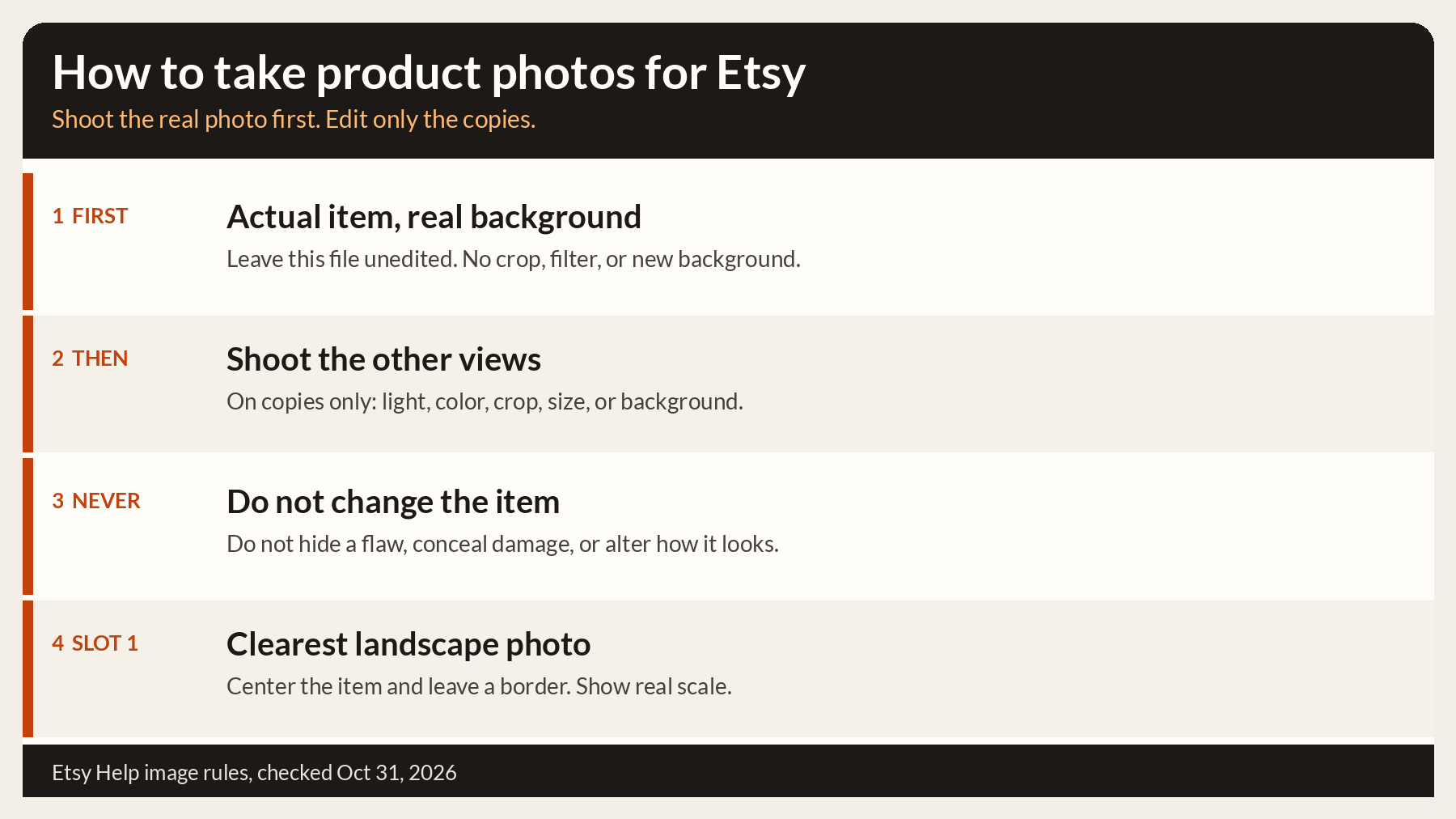
Authenticity is a separate rule, and it decides which file you are willing to put in that slot. As of October 28, 2026, most listings need at least one unedited photo of the actual item against a real background. That photo has not been edited or changed in any way. Some exceptions apply. How the requirements apply says a print-on-demand item may use a stock-photo mockup when the mockup’s owner has authorized that use. A digital download with a visual component needs a preview of the actual content. Other photos may use editing, including AI, to adjust lighting or color, crop or resize, or change the background. Those edits may not hide flaws or make the item look different from what the buyer receives. If you use AI edits, Etsy suggests noting that in the description.
Etsy does not say the unedited photo must be photo 1. It does say to make the first photo the clearest, most realistic representation of the item, because buyers see it first. When that clear shot is also your unedited real-background photo, and it is landscape, use it first. When the only unedited photo is dark, blurry, vertical, or a collage, keep it in the set and put a clear landscape photo in slot 1, as long as that photo still shows the real item accurately.
A later photo can be a mockup. Our Dynamic Mockups review covers bulk mockups for POD and Etsy sellers, and the Placeit alternatives for mockups roundup compares other tools. An edited mockup does not replace the unedited photo on listings that need one.
Working pixel sizes and a centered safe zone
Etsy does not publish thumbnail aspect ratios. The ratios below are working choices for your export, not rules. Each size has at least 2000 pixels on both sides.
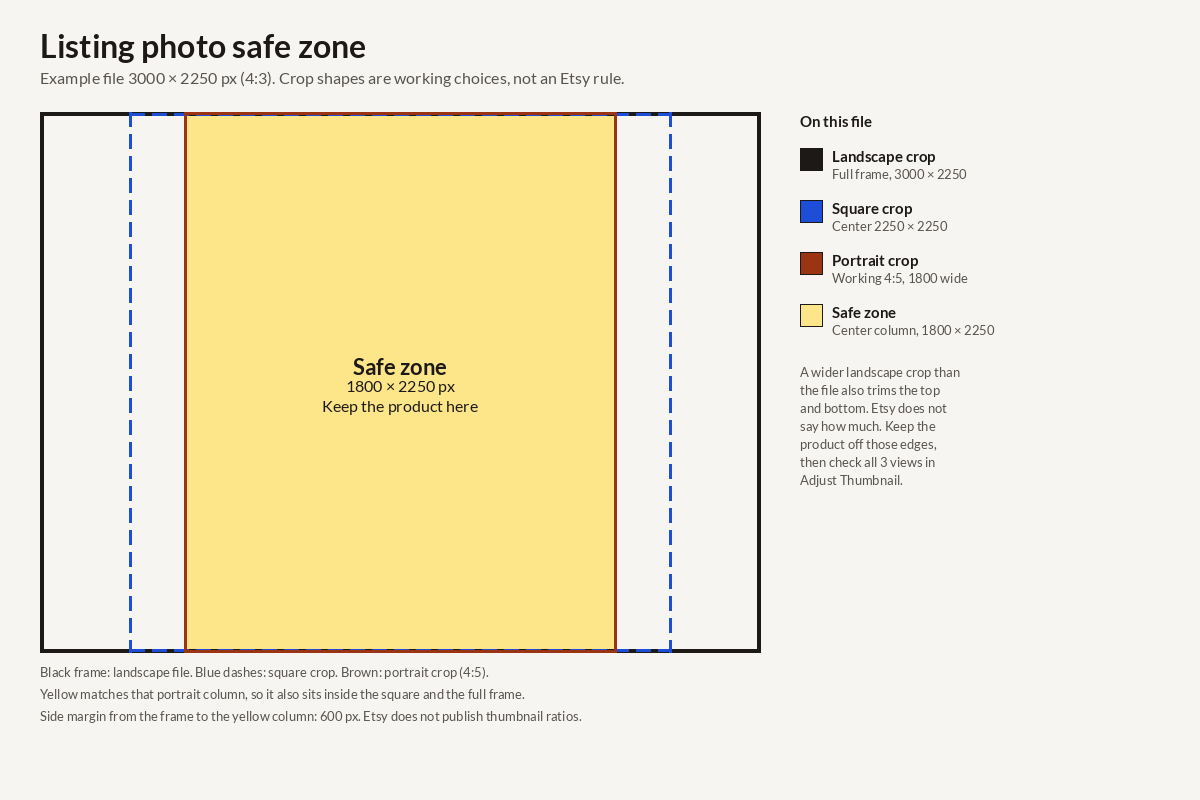
The safe-zone column is the centered strip that stays inside two crops of that file: a square crop that uses the full short side, and a working 4:5 portrait crop. On a landscape file that strip also sits inside the full frame, which is the landscape view if you do not crop the file wider. A wider crop also trims the top and bottom. Etsy does not say how many pixels that trim is, so keep the product off those edges too. A portrait crop narrower than 4:5 would need a narrower column. The check that matters is Adjust Thumbnail, which shows the three views Etsy actually uses.
The diagram at the top draws one example: 3000 × 2250. That is 4:3, because 3000 ÷ 2250 = 4/3. The yellow column is 1800 × 2250. The width is 2250 × 4/5. The side margin is (3000 − 1800) ÷ 2 = 600 pixels.
| Working ratio | Export pixels | Shortest side | Centered safe zone |
|---|---|---|---|
| 4:3 | 3000 × 2250 | 2250 | 1800 × 2250, with 600 px on each side |
| 4:3 | 2700 × 2025 | 2025 | 1620 × 2025, with 540 px on each side. 2700 ÷ 2025 = 4/3 |
| 3:2 | 3000 × 2000 | 2000 | 1600 × 2000, with 700 px on each side |
| 5:4 | 2500 × 2000 | 2000 | 1600 × 2000, with 450 px on each side |
| 1:1 | 2000 × 2000 | 2000 | A 4:5 column would be 1600 × 2000, and a landscape crop of a square file also cuts the top and bottom. The thumbnail tips say to avoid square crops |
A 4:3 ratio only works when the short side is still at least 2000 pixels. A 2000 × 1500 file is 4:3, and its short side is 1500. 2700 × 2025 is the same ratio with both sides over 2000.
Use one shape for the whole listing, because the first photo sets it. A portrait file such as 2000 × 2500 clears the pixel floor, and it is a poor first photo. Vertical images lose more in the thumbnail, and the photos that follow take that portrait shape.
If you are still deciding what to photograph, how to find a niche on Etsy walks through the free search checks before you shoot a catalog.
Crop the photo, then set the thumbnail
There is no separate thumbnail file. The thumbnail is a crop of photo 1. The edit-photos page says to crop before you adjust the thumbnail, because the crop changes what the thumbnail can show.
On Etsy.com the path is Shop Manager, then Listings, then edit the listing or create one. Hover the photo, choose the crop icon, pick a suggested size or drag the grid’s corners, and select Save. You cannot undo that crop. Upload the original again if you need the full frame back. The create-a-listing page says Edit is where you adjust the thumbnail and crop to an aspect ratio of your choosing. Those suggested sizes are presets in the editor. They are not listed on the image requirements page as required ratios.
Then choose Adjust Thumbnail. Slide the circular button to zoom. Position the image so the subject is clear in all 3 views used across Etsy, and select Apply. The requirements page also says to shoot further back than you think you need, keep the important part in the center, and leave enough border to crop to square, portrait, and landscape thumbnails without losing the product.
Upload mistakes that cost sharpness
A few exports look fine on your computer and still miss the Help page.
- The file is 2000 pixels wide and much shorter, so it matches the editor warning and not the width-and-height recommendation.
- The file was stretched up from a small original. Etsy says upsizing can pixelate.
- The background is transparent, so those pixels turn black.
- The GIF is animated.
- The first image is a collage, or it is dark or blurry.
- Photos in the same listing use different shapes.
- The file is still CMYK, so the colors shift when Etsy converts it to sRGB.
- The product touches the edge, so a square or portrait thumbnail cuts it off.
To match the current Help page, export a landscape file with at least 2000 pixels on each side, keep the product inside the center column from the table, make the first photo clear, and include one unedited real-background photo when the listing needs one. Re-check the Help pages if Etsy changes the wording after October 28, 2026.
FAQ
What is the Etsy listing photo size in pixels?
Etsy recommends a width and height of at least 2000 pixels. The first photo should be at least 635 pixels on both sides to avoid showing up lower in searches. A working 4:3 export is 3000 × 2250 or 2700 × 2025. A working 3:2 export is 3000 × 2000. Those ratios are choices, not an Etsy rule.
What Etsy listing photo size ratio should I use?
Etsy does not publish a required ratio. The image requirements page says the first photo should be landscape or square, and the thumbnail tips say to avoid square crops and upload horizontal or landscape images. A 4:3, 3:2, or 5:4 landscape file works when both sides are at least 2000 pixels. Use that same shape for the other photos.
How does the Etsy listing photo size thumbnail get cropped?
The thumbnail is a crop of the first photo, not a file you upload. Etsy shows square, portrait, and landscape views and does not publish their pixel sizes. Crop the photo first, then open Adjust Thumbnail and check all three views. Keep the product in the center, with border around it.
Does the first photo have to be the unedited one?
Most listings need at least one unedited photo of the actual item on a real background. Etsy does not say that photo must be first. It does say the first photo should be the clearest, most realistic representation, because buyers see it first. Use that clear landscape shot as photo 1 when it is accurate, and keep the unedited photo in the set. Print-on-demand listings may use an authorized stock mockup. Other photos may be edited, including with AI, as long as they do not misrepresent the item.
Can I publish if the photo is under 2000 pixels?
The create-a-listing page says the message “Listings look best with photos at least 2000 pixels wide” is only a suggestion, and you can still publish. The image requirements page still recommends at least 2000 pixels of width and of height, and a first photo under 635 pixels on either side may show up lower in searches. A file over 1MB may not finish uploading on a slow connection, and a file bigger than 300k may time out.