· ming · Guides · 10 min read
Etsy Bulk Edit Photos: Keep the Unedited One
Etsy bulk edit photos: Shop Manager cannot change them. Four methods, which slots each one can replace, and how to keep the unedited real-item photo.
You can’t bulk edit photos with Etsy’s own bulk editor in Shop Manager. Before you start, confirm the unedited real-item photo in each listing is not in a slot you are about to replace.
A PixelPanda link on this page is an affiliate link. SellerImageAI may earn a commission if you use it. The Etsy photo rules below come from Etsy Help, not from that link.
What Etsy’s own bulk editor can and cannot change
The bulk-edit Help page names Titles, Tags, Descriptions, Prices, Custom options, Production partners, Renewal options, Processing profile, and Shipping profiles. Photos are not named. Prices and tags on that same list are already mapped on ListingView alternatives. This page stays on photos.
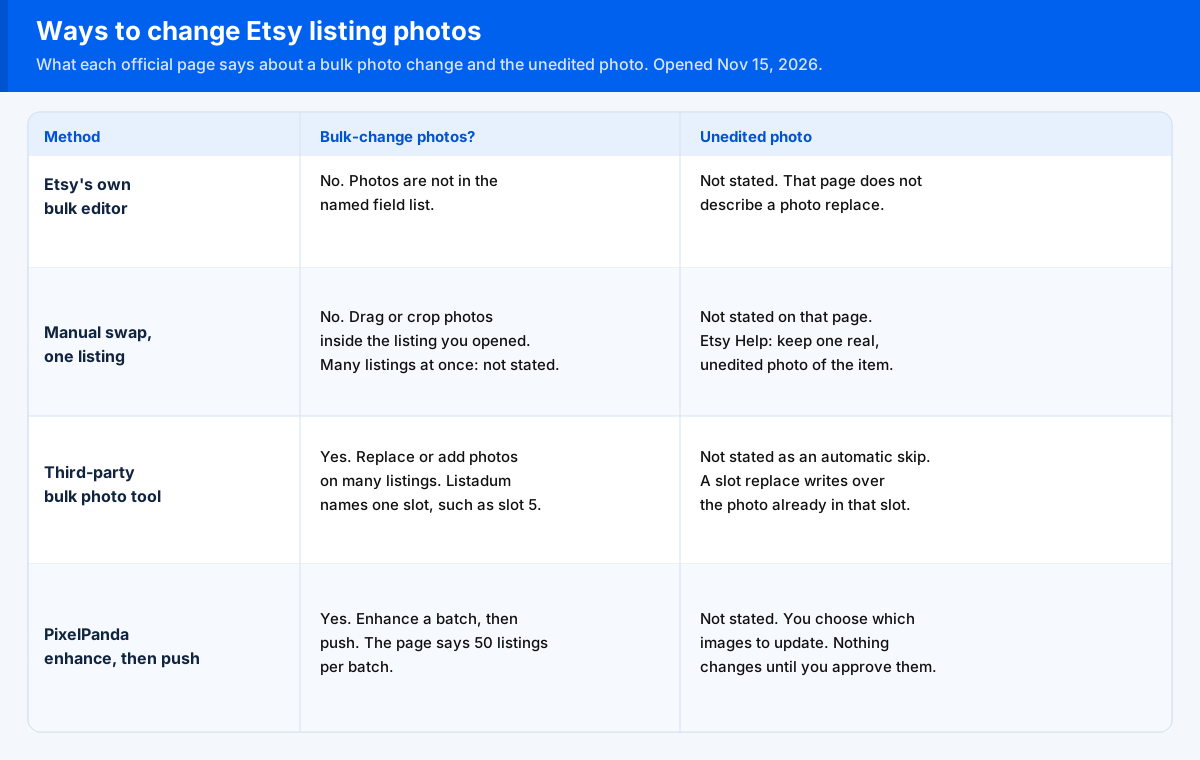
Each cell quotes the source page for that row, or says Not stated. Not stated means that page does not say it. The extra column is the unedited-photo risk, which the tool pages below do not put in one table.
| Method | Can it bulk-change photos? | Can you choose only certain photo slots? | Risk of overwriting the unedited photo | Source | As of |
|---|---|---|---|---|---|
| Etsy’s own bulk editor | No. The bulk-edit Help page names Titles, Tags, Descriptions, Prices, Custom options, Production partners, Renewal options, Processing profile, and Shipping profiles. Photos are not named. | Not stated. That page does not describe photo slots. | Not stated. That page does not mention an unedited photo, and it does not name photos as a bulk-edit element. | Bulk edit | 2026-11-15 |
| Manual swap on one listing | No. How to Edit Your Listing Photos says to edit your listing, then work on that listing’s photos. It does not describe a photo change on many listings at once. | On that one listing, yes. “After you’ve added at least 2 images to the Photos section, select and drag them to change the order.” A slot number applied across many listings is Not stated. | Not stated on the edit-photos page. The keep-one rule is a different article: “For most items, you only need at least one real, unedited photo of your item against a real background.” | Edit photos and How the requirements apply | 2026-11-15 |
| A third-party bulk photo tool | Yes, on each vendor page. Listadum: “Put the same new photo in one slot, such as slot 5 for a size chart, on up to 1,000 listings at a time.” Bulk Edit App: “Update listing photos across many Etsy listings at once”. Sortaflow: “Replace or add images across hundreds of listings at once”. | Listadum names one slot and says “It replaces the photo already in that slot.” Bulk Edit App: “Choose to add, replace, or delete a photo.” A slot number is Not stated there, and photo reorder is not supported. Sortaflow says you can replace or append images and reorder image positions. A single slot number is Not stated. | Not stated as an automatic skip. Listadum’s slot line replaces whatever file is already in that slot. A separate photo-studio block on the same page says “Keep the unedited photo of your real item that Etsy asks for,” then describes lifestyle scenes, scale shots, and close-ups around it. Bulk Edit App does not mention an unedited photo. Sortaflow does not either. Sortaflow does say “You choose which rows and fields to update before pushing.” | Listadum, Bulk Edit App, Sortaflow | 2026-11-15 |
| PixelPanda enhance, then push | Yes. PixelPanda’s Etsy page: “Select multiple listings at once and enhance all their photos in a single batch” and “Push enhanced images directly back to your Etsy listings with one click.” The same page prints 50 listings per batch. | ”You choose exactly which images to update and which to keep.” A numbered slot is Not stated. | Not stated. The page does not mention an unedited photo. It does say “Compare original and enhanced images before pushing changes” and “Nothing changes on your Etsy listing until you explicitly approve and push the enhanced version.” | PixelPanda Etsy integration | 2026-11-15 |
As of November 15, 2026. Recheck those pages before a large batch. This table does not rank the tools.
Before you bulk anything: mark the unedited photo
The keep-one line in the table is from How Do Etsy’s Listing Image Requirements Apply to My Listings?. The same page says the first listing image does not have to be the unedited photo. Slot 1 can be a different file from the unedited one. Which file belongs in that first slot is covered on Etsy listing photo size.
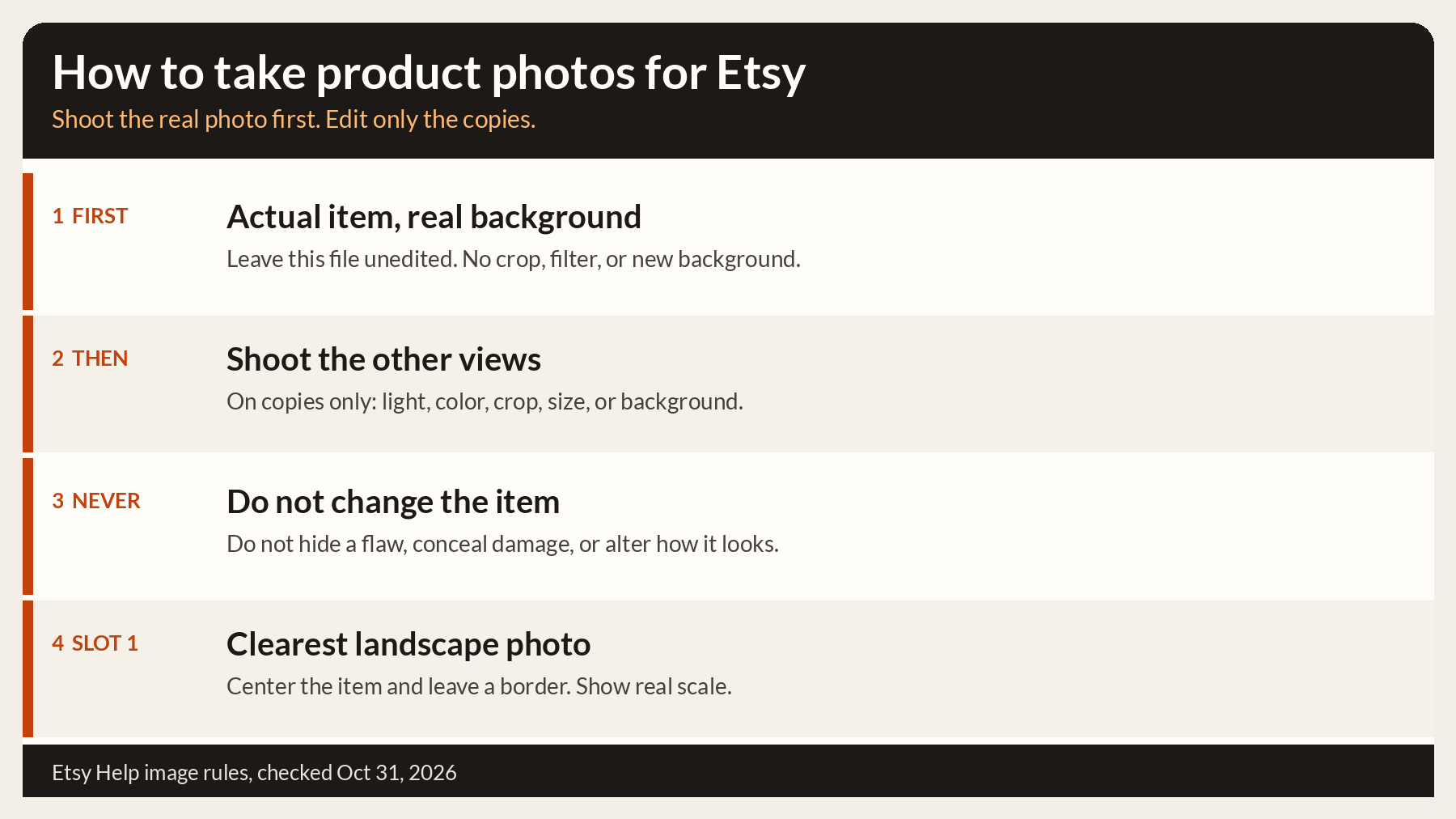
How to Edit Your Listing Photos says the first photo is the thumbnail for the listing. Open one listing, find the unedited real-item file, and write down its slot before you select a batch. The shoot that produces that file is on how to take product photos for Etsy.
A seller in Mission: Unedited Photo had already changed a large set of photos and was putting an unedited photo back into the second-to-last slot. The post says:
I just “reverted” 300 photos (thank GOD I saved them on my phone), over the course of 3 days.
Keep a copy of the unedited file outside Etsy before the batch. That post is what a restore looks like when the copy lives only on a phone.
Bulk replacing photos with a third-party tool
These three pages describe a photo change across many listings. They do not say one tool is the right choice. None of the prices, plan names, or ratings on those pages are repeated here.
Listadum’s bulk edit page says Etsy’s own bulk editor cannot change photos. The photo control on that page is the slot sentence in the table: one chosen slot, on up to 1,000 listings, and the file already in that slot is replaced. If that slot is where you parked the unedited file, the replace removes it. The photo-studio sentence in the same row is a different block on that URL. It tells you to keep the unedited photo while the studio makes lifestyle scenes, scale shots, and close-ups. It does not say the slot replace will skip that file.
On undo, the same page says there is no one-click undo, so check the queue before you publish. It also says Time Machine can restore an earlier version of the photos, one listing at a time.
Bulk Edit App’s photo bulk editor says to select the listings, choose to add, replace, or delete a photo, preview, then confirm. The confirm step takes a backup snapshot first. The page also pairs that editor with Magic Revert when a photo change needs undoing. Photo reorder is not supported. A slot number is not stated, and an unedited photo is not mentioned. Those limits are the Bulk Edit App cells in the table.
Sortaflow’s Etsy bulk edit page says you replace or add images across many listings, and that you can replace or append images and reorder their positions. A single slot number is not stated. The page says you choose which rows and fields to update before pushing, and that you can review pending edits before you publish. It does not mention an unedited photo, an original photo, or a real-background keep-one rule. It also does not state an undo after the push.
Enhancing and pushing back with PixelPanda
PixelPanda describes an Etsy path on its integration page. The page says you select multiple listings, enhance their photos in one batch, and push the results back. The batch size it prints is 50 listings. The preview line and the choice of images are the PixelPanda row in the table.
That page does not mention an unedited photo. Approving an enhanced file in the slot that holds the real-background photo replaces that file. Leave the marked image out of the set you approve. The steps on the page are connect the shop, select listings, choose an enhancement, then review and push. Use the push only after that review.
Checking a sample listing after the push
Open one listing the batch touched. How to Edit Your Listing Photos starts that path in Shop Manager, then Listings, then the listing itself.
Check the marked file first. It should still be the unedited photo of the actual item against a real background. Then check the thumbnail separately. The same Help page says the first photo is the thumbnail, and the requirements article says that first image does not have to be the unedited photo. A correct thumbnail can sit beside a missing unedited file.
If the job was one slot, such as the slot 5 example on Listadum’s page, the other photos on that sample listing should still be the previous files. If you cropped a photo inside Etsy, the edit-photos article says the saved crop is not undone in the editor. The way back it describes is to upload the original image again. That is one listing, not a button for the whole shop.
FAQ
Can you bulk edit photos on Etsy?
Not with Etsy’s own bulk editor. That Help page names titles, tags, descriptions, prices, custom options, production partners, renewal options, processing profile, and shipping profiles. Photos are not named. Listadum, Bulk Edit App, and Sortaflow each describe changing photos on many listings. PixelPanda’s Etsy page describes enhancing a batch of listings and pushing the images you approve.
Will bulk editing replace my unedited photo?
It can, if the slot or the image you send is the one that holds that photo. Etsy Help says that for most items you keep at least one real, unedited photo of the item against a real background, and that the first image does not have to be that photo. Listadum says a one-slot update replaces the photo already in that slot. PixelPanda says nothing on the listing changes until you approve which images to push. Those pages do not say the tool will skip the unedited photo for you.
Can I undo a bulk photo change on Etsy?
Etsy’s photo-edit Help page says a saved crop is not undone in the editor, and that you upload the original image again. That path is one listing. Bulk Edit App says a backup snapshot is taken before the photo change, and that Magic Revert can undo a photo change. Listadum says restoring photos through Time Machine is one listing at a time, not one click for the batch. Sortaflow says you can review edits before you push, and it does not state an undo after the push.
Does the unedited photo have to be in slot 1 before a bulk replace?
No. Etsy Help says your first listing image does not need to be the unedited photo. The first photo is the thumbnail, and it can be a different file. Mark the slot that actually holds the unedited photo before a replace, because a tool that writes one slot replaces the file already in that slot.
Can I limit a bulk photo change to one slot?
Listadum says you can put the same new photo in one slot, such as slot 5, on up to 1,000 listings, and that this replaces the photo already in that slot. Bulk Edit App says you choose to add, replace, or delete a photo, and that photo reorder is not supported. It does not name a slot number. Sortaflow says you can replace or append images and reorder image positions, and it does not name a single slot number. PixelPanda says you choose which images to update, and a numbered slot is not stated on that page.